Category: Cool Features

Hey Siri… You so silly! Wednesday edition.

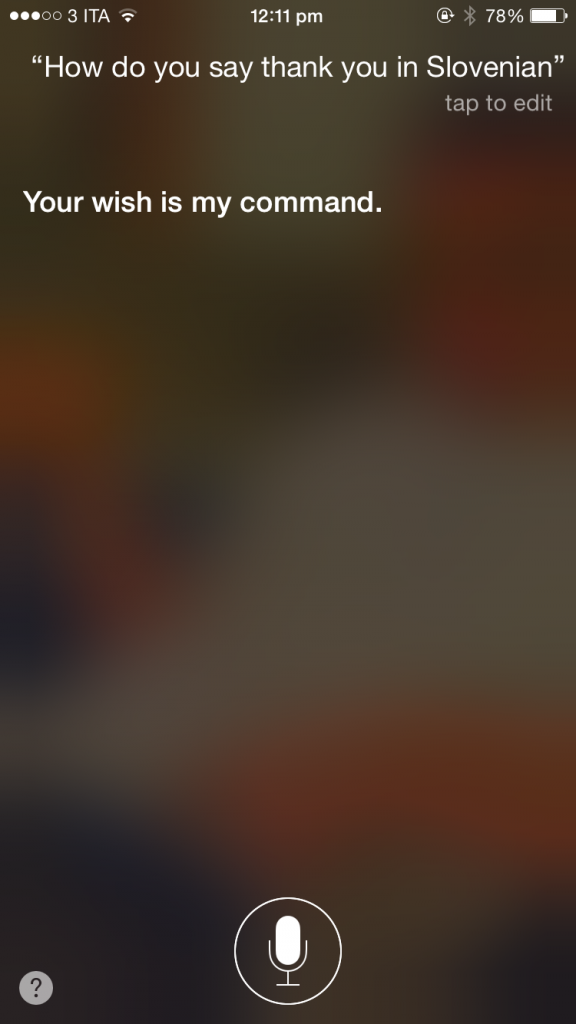
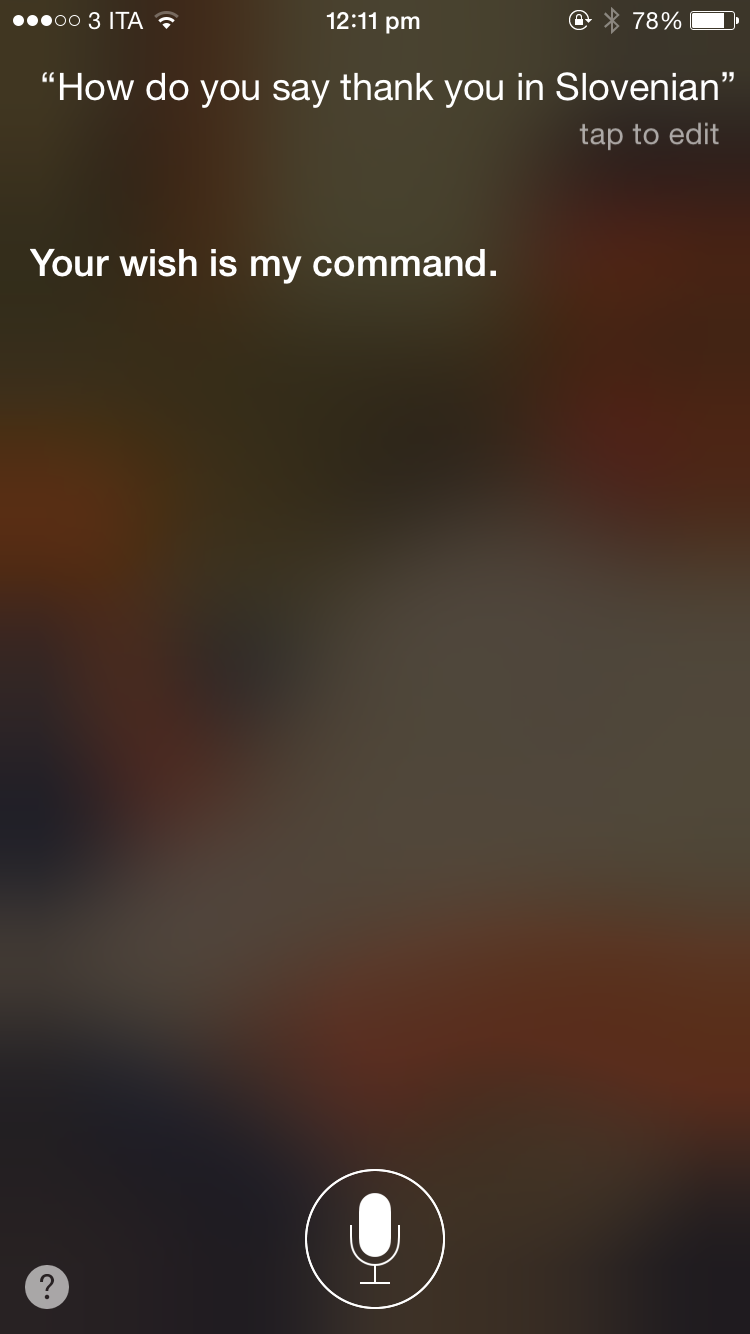
Siri is awesome and knows everything, right? Except when verrry sometimes she doesn’t, and it’s either stupidly frustrating or stupidly funny…


Like this, for instance:


IMG_9298


Or this:


IMG_9299


Oh how we wish we could be there when that person who takes Siri for real literally goes to Slovenia, orders a beer, and then thanks the server by tell her that he was ‘ Just doing my job’.


I feel a reality TV show coming on…


HEY GUYS!!!! Send us examples of Silly Things Siri Says when you see them! We’ll give you love and possibly some kind of magical unicorn flavored incentive….


Apple to start selling Apple TV 4 in store on Friday !

appletv


Are you ready for some TELEVISION? SOME… APPLE TELEVISION?


You know it!


So do Apple. Apple began accepting pre-orders for the device this past Monday, but if you aren’t a pre-order type of guy or gal, then you might wanna listen up. This coming Friday October 30, you’ll be able to pick up your very own shiny device at an Apple retail store.


Sweet.


This hasn’t been totally confirmed as of yet however it seems very very likely.


If you are a pre-order type of humanoid, and you like your one day shipping, then you can be getting ready to smile all day at your shiny new device on Friday too!


If you pre-ordered through Best Buy, you can pick up your device in-store come November 4th.


The new Apple TV is available in 32Gb for $149 and 64GB for $199.


Are you a Basketball fan? Have a Samsung Gear VR Headset? THIS IS FOR YOU!

PF48OHZFI4


We’re talking BASKETBALL! The Warrior’s season opener begins tonight at 7:30PM PST, with last year’s CHAMPIONS Golden State Warriors gearing up to play the Pelicans at Oracle Arena.


If you’re unable to get to the game, but are still super excited to watch, AND you have access to a Samsung Gear VR headset – we have some really exciting news for you. Partnering with Turner Sports and NextVR, the NBA will be live-streaming tonight’s season opener in virtual reality. WHAT.


With camera’s positioned strategically around the arena capturing all the live action in real time, you can pretend you’re right there courtside all while sitting in the comfort of your living room.


To quote Mr. Macklemore – Oooh, it’s too real!


The Sacramento Kings have already been in the VR Basketball game (so to speak), streaming two pre-season games, but this will be the first live professional sports game readily available to fans in VR.


Access to the game in Virtual Reality will be through the NextVR app that you can get through Oculus Home. They’ve developed what they call a “lens-to-lens system” for capturing the VR in broadcast quality. If you already have the app, make sure you update it before the game.


Also, watch out for The Kings on Wednesday who are also scheduled to stream their own season opener live in VR.


If you don’t have the Samsung Gear VR, don’t be too dismayed. The Kings are working with VR technology company Voke to make their stream platform available on any VR platform, not just GearVR. You can get Google Cardboard helllla cheap! 


Here’s to only watching sports courtside or virtually courtside from now on!


IBM giving employees Apple Watches?

exclamation mark


IBM is planning on providing it’s employees with FREE or discounted Apple Watch models! Whaaat. Yup, it seems that IBM are incorporating the Device into it’s ‘Commit to Health’ initiative, which will mean that employees will receive the devices under their health insurance plans.


The employees can either choose to get a subsidy that covers the full cost of the device or they can purchase it at a discounted price, and IBM then hopes that they will take advantage of the health features of the watch. Healthy workers are hard workers! IBM previously had a similar program with Fitbit, however it is currently unclear if the Apple Watch program is replacing this or supplementing it.


Lots of Apple Watch users have raved about the health benefits of the device since it’s release, so it’s possible that IBM is one of many companies who will be encouraging their employees to use the Watch in the future.


Online dating tech of the Week!

loveroom


So, you thought they might run out of online dating ideas soon, right? Tinder, 3inder, Grindr, Tastebuds, Hinge, Score, Tindog, Happn, Sizzl, Bumble, Align, Once, *breath*, Coffee Meets Bagel, Pure, Howaboutwe…. The list just doesn’t stop.


There’s a reason for that – people like connecting, even for a moment, potentially for a lifetime. Make it fun, interesting, make the possibilities endless, you’ve got a dating App, friends.


So what’s the new one you guys can play around with?


Well, this one’s a little more serious, and requires a little more… commitment before deciding you wanna get in this app’s sandbox.


We’re talking LoveRoom. ‘It’s like Airbnb meets OkCupid’.


Ummmm… ok? So what does that exactly mean?


Well, you search for a match based on interests and video profiles. Then, you flirt with possible matches, by sending private messages to people who’ve accepted your friend request.


Sounds familiar, right? Well get this: Then, when you’ve picked a match, you move in together for a week.


Dun Dun DUUUUN!


The aim here seems to be: Learn all about them in a really intense way, so you know if they’re worth investing time in! You can still go on dates, or you can, just, you know, Netflix and chill*…


Go see what it’s all about here. It’s free to sign up using your Facebook or email. And let us know if any of you crazy cats do it! Because, you know, science.


* Sex is not a compulsory part of this whole thing. Just so you know, creepies.


New Steve Jobs Movie footage

The new Steve Jobs movie is set for release on October 9th! Is everyone excited? You betcha! Are you so excited you want to watch behind the scenes footage and cast and crew interviews RIGHT NOW?


Thanks to ScreenSlam, your wish is granted.


BAM!


Apple Music free trial period ending + guided tours

Apple-Music-iOS-9


Did you sign up for Apple Music on or shortly after June 30? If you did, your free trial is ending!!


Dun Dun Duuuun!


Personally, we’re keeping our subscription, because if you haven’t read our review of the service, we fricken’ love it. BUT! If you want to unsubscribe, There are 2 ways.


On your iPhone or iPad, go to Settings. Tap on the iTunes & App Store option, and then tap on your Apple ID.  A box will come up – tap on ‘view Apple ID’. Sign if if necessary. You’ll then see an option called ‘subscriptions’ with the word ‘Manage’ underneath. Click on ‘Manage’.  On the next page you’ll see the words ‘Renewal options’, and underneath that as the 3rd option down is Automatic renewal. To unsubscribe, turn slide the slider off green.


On your computer, go into iTunes and sign in. If you’re already signed in, click on your name (left of the search bar) and click down to account information. Enter your Apple ID password. Scroll down to the Settings section, and when you get to ‘subscriptions’, look to the right and click ‘Manage’. Turn off Automatic Renewal for Apple Music to cancel a subscription.


If you wish to continue with the service, as many will, you don’t have to do anything except enjoy some sweet tunes!  If you’re unsure about continuing your subscription or if you’ve been enjoying the service but not exploring it, Apple has just introduced a bunch of guided video’s to make sure you’re not missing out on anything. They’re available on the Apple website and will presumably soon be featured on their YouTube channel.


Or, watch them right here!


Tinder for… bacon lovers?

sizzl1


Tinder, Tinder, Tinder. Tinder. It seems like there’s a Tinder version for everything, but not until now has there been one for… Bacon?


Yup, you read that correctly. If you love Bacon, (like, as if you capitalize it, for example) and you’re looking for a date with someone with a similar love, then Sizzl is for you.


Released by the excellent people over at Oscar Mayar, Sizzl is a dating app where you can search through, accept and reject, nearby people who like the same bacon that you do. Traditionalist Pork Bacon lover? Turkey Bacon? Thick? Smoked? Crispy? The Maple kind? 


sizzl2


Go get some! Are we talking about some Bacon, or some lovin’? BOTH SILLY!


Elon Musk has opened up his own school

exclamation mark


Tech genius Elon Musk has apparently decided that the schools in his area are not equipped to produce more people that we need in the world (i.e. people like him), so what did he do? Open his own school, dummies! D’uh.


With only 20 students (including his own 5 children), with no formal grade structure and set, fittingly, in a mansion, the school is named Ad Astra which is latin for ‘to the stars’.


The other children at Ad Astra are believed to be children of SpaceX employees. There are 3 teachers, and, currently at least, no website or obvious application process. Sorry, Junior.

 
“They weren’t doing the things I thought should be done,” Musk has reported saying. “I thought, well, let’s see what we can do. Maybe creating a school would be better.”

 
His vision for Ad Astra is an education that is matched to “the aptitudes and abilities” of the child. Sounds… nice. Let’s see some more genius’s Mr Musk!


Switching to iOS 9?

ios9


Well…..you might want to wait, as there has been a number of complaints around the world describing the mess that iOS 9 can leave your phone in.


We’d suggest waiting for the next update of iOS 9 is released, however if you just can’t wait, PLEASE make sure to back up your phone so if the most terrible of terribleness happens, you still have all that precious data!


If you have a lot of media on your device, then we’d advise backing up over iTunes. However, understand that if you have photos taken with an iPhone or iPod on an iPad in your camera roll, they won’t be restored from a back up, and vice versa.


You can restore data to a device at anytime with a WiFi connection on iCloud Backup.


Back up with iTunes 
Connect your iPhone or iPad to a computer. Open iTunes. Go to ‘File,’ ‘Devices,’ and ‘Back Up’. You can also find the ‘back up now’ button under Summary in iTunes.


Want to make sure that it’s worked? In the iTunes menu option, go to Preferences’, then click on ‘devices’. If you see the name of your device and the time that you backed up, you’re all good like candy canes at christmas.


Back Up on iCloud

On your iPhone or iPad, open the Settings app, select ‘iCloud’, and tap Backup. Turn on iCloud Backup. The device will automatically update when it is connected to the Internet via WiFi, the screen is locked, and it’s hooked up to a power source. To do it manually, go to Settings, then iCloud, select Backup, and tap Back Up Now.


Save your data! Do it!