Future Tech Of The Week! WOLO Life Clock

lifeclock


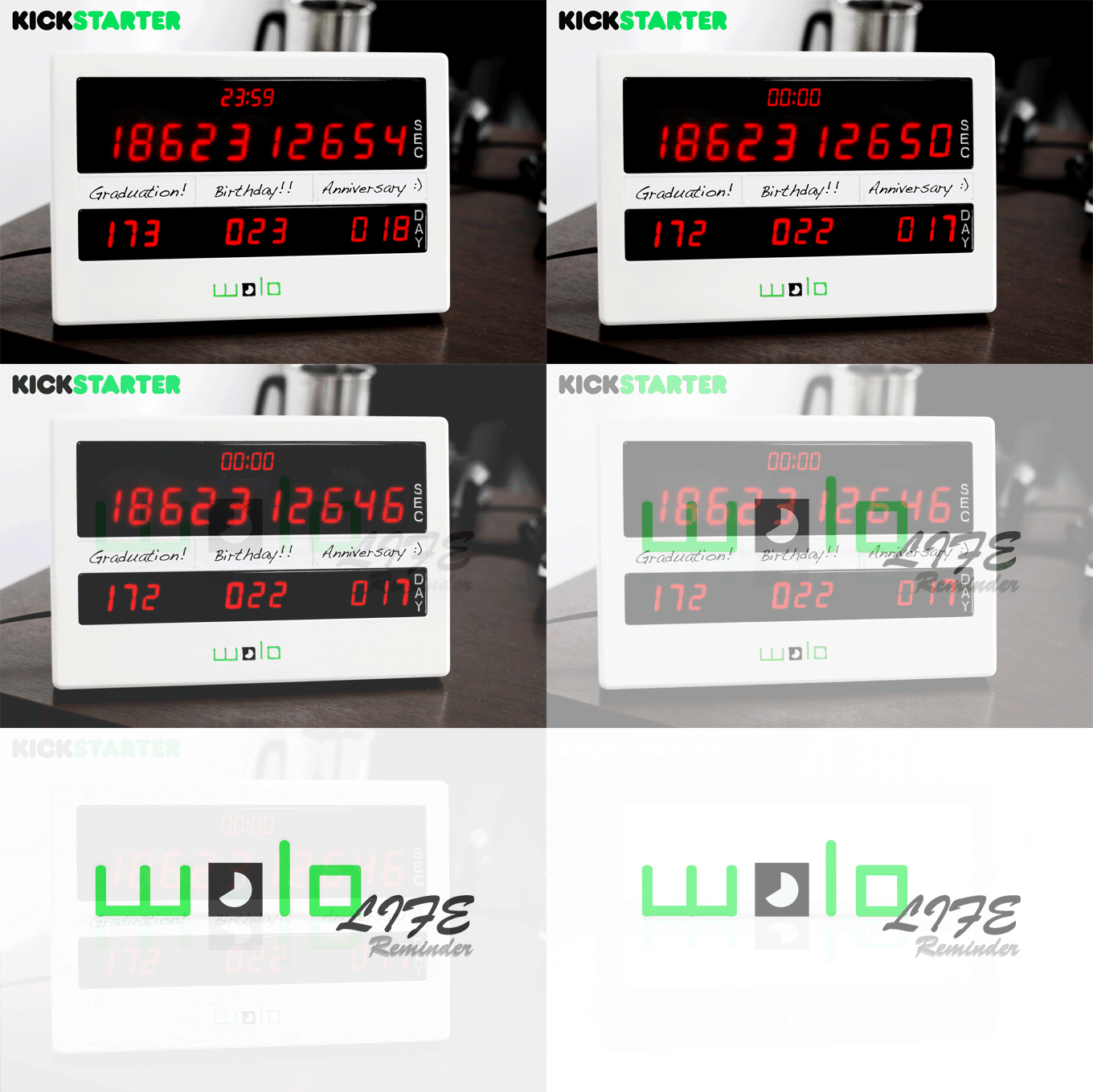
You know how looking at the clock can keep you on track with your day and your goals? Well, take that idea, and times it by a thousand. Introducing the WOLO Life clock.


A visual timer that shows you how much time you have left to live.


Time management is key to living life to the fullest, as is prioritizing what you do with your time on earth, and using it wisely. WOLO Life clock helps you do just that, and we’re all about it. We understand how time can pass without understanding that those seconds never come back.


Simply key in your date of birth and country of origin, and the Importance Tab on the WOLO Life Reminder will start to run – counting down your life in seconds.


As well as the importance tab, you have the Urgency Tab  which counts down to 3 important days chose by you.


The WOLO Life Clock is a Kickstarter campaign that raised $30,275 of their $30,000 goal with the help of 118 backers. Check out their Kickstarter campaign here! 


iPhone 7 rumors

iPhone 7! Or, as we like to think it might be – iPhone 6se (iPhone sixy)! Due to be revealed and released around September this year, the new iPhone already has mouths and minds swirling about what new features we could be getting. New features are the best aren’t they? New technology for all!


Apparently, the iPhone 7 will be similar in look to the iPhone 6 and 6S models. The rear camera is said to be flush however, not protruding thanks to a thinner camera module, and the 7 Plus will apparently have a rear dual lens camera.


There will also purportedly be no Antenna bands across the rear of the new iPhone.


No line of sight teleportation rumors yet, though. Dammit.


Apple Media Event Alert!

So the guys in the crystal Apple are telling us that March 14th is when Apple will hold it’s next media event. They also say that during that event, Apple will reveal new Apple Watches, an iPad Air 3, and a new 4-inch iPhone named iPhone 5se, or as we like to think of it, iPhone Fivesy.


The event is expected to be held in San Francisco, feature CEO Tim Cook and a few other key Apple executives speak, as well as 1 or 2 very well made videos featuring the elusive Sir Jony Ive. iOS 9.3 with Night Shift for the iPhone Fivesy  WatchOS 2.2 would be revealed soon after.


Are you excited for another Apple event? Do you want a Fivesy? We think we want a Fivesy. We love the size of the 6, 6S and 6S Plus, but Fivesy just sounds so damn cute. OR WAIT. Maybe the next iPhone won’t be called iPhone 7, it’ll be called iPhone 6se, and then it’ll be… iPhone sixy. And that would be cute, but also, then New Zealanders would have iPhone sexys. The best. Please let that happen, Apple gods.


Superbowl Sunday Funday!

roadto50


If you didn’t know, IT’S SUPERBOWL SUNDAY TOMORROW!


Denver Broncos versus Carolina Panthers, 6:30PM ET. The game is Superbowl 50, which is kind of a big deal, and it’s being held at San Francisco 49ers stadium in Santa Clara.


Here’s how tech can help you enjoy the game. First, if you didn’t actually know that the Superbowl is tomorrow, you might not be super clued in on how the game works. Look that shizz up, guy. Wikipedia is your friend!


Then, get the NFL app. It’s free! Follow scoring and highlights and stats and articles and players and all kinds of important Superbowl stuff. If you’re with Verizon, you can watch the Superbowl live on your phone, too.


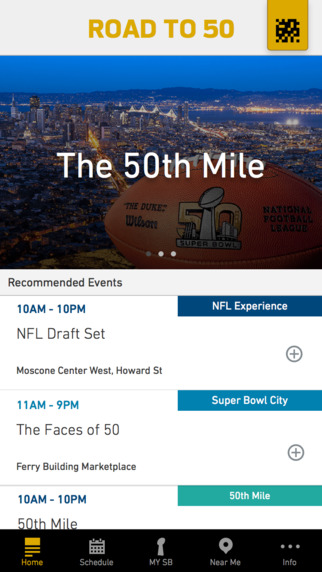
If you’re in the Bay Area – get yourself the Road to 50 App. It’s free, and it’s made special for this SuperBowl. It’ll tell you all the things you need to know for being in the Bay Area this weekend, with a schedule of events, interactive maps and transport information.


If you don’t have cable, or a friend’s cable login, or a nearby Bar…. well, then we’re sorry. Just kidding, read on!


Those of you that have a Roku, Xbox One, Apple TV, Amazon Fire TV, or Android TV, download the CBS Sports App, or the NFL App, and you can watch Superbowl 50 Live. BAM.


If you don’t, download the CBS Sports App onto your iPhone and if you have a Chromecast, cast it to your TV, yo! But, you have to be using WiFi – if you’re using cellular data, you’ll only be able to stream the game if you’re with Verizon.


Yay Superbowl! Don’t forget the dip, man. We’re serious. The Dip. Also – want to sneak peak at the Superbowl 50 halftime Ads? Here you go! We told you we loved you.


Do you still have a 4-inch iPhone? You’re not alone!

Some data was just released by a mobile analytics company called Mixpanel that show that about 32.22% of active iPhone users have a 4-inch screen. For those of you playing at home, that’s an iPhone 5, 5c and 5s, as well as the rumored 5se – a new 4-inch iPhone that is said to be released in March this year.


By the way – iPhone 5se? Like Fivesy? Isn’t that a bit too cute? Or is it exactly cute enough….


According to the data, the iPhone 5S represents 20% of current active iPhones, the iPhone 5 is at 7.53% and the iPhone 5C sits pretty and plastic at 5.66%.


Are you still using a 4-inch screen? Do you want to be? A lot of people love the size  and usability of the 4-inch, but as the last few iPhone updates were bigger, those people are left using 2 year old technology, even if it is on a perfect sized screen for them. That’s why the iPhone Fivesy. (5se) Coming in at a purported $500, this little guy has a lot of people considering the upgrade.


Will you be upgrading from your 4-inch screen to the Fivesy? Or will you make the leap to the iPhone 7 at the end of the year?


Either way, when you decide to upgrade, make it a little easier and sell your stink old iPhone to us!


Top 10 Things you shouldn’t do with your phone

We’ve all had these fancy pocket computer phone things for a while now, but there’s still people out there that need some iPhone courtesy learnin’! In that vein, here’s 10 things mobile phone users should never do! In our humble opinion anyway, and what do we know?


1. Please don’t miss social opportunities that you mistake as awkward social situations by pretending that you’re texting.

When we use technology to avoid possibly awkward situations, we’re simply avoiding learning how to manage ourselves in possibly awkward situations. Once we learn that, we can turn these situations around to use them in our advantage. Evil genius or awesome Yogi advice?


2. Don’t go one step further and pretend to be on a phone call, cos, you know, the phone will probably ring.

There is no sage advice with this one. Just don’t risk it, please. For humanity’s sake.


3. Don’t Judge people on their smartphone choice or lack of choice.

Just because you made a choice based on your own understanding of how technology works well in your own life, does not mean you should judge other people for making a different decision. Your opinion on which brand is better may be important to you, but calling people sheep or stupid for their smartphone choice is irrelevant and, well, dumb. People make different choices, get over it.


4.Please don’t put your phone on loudspeaker, put it right in front of your mouth and then proceed to yell into it.

This. This just hurts everyone’s ears and some people’s souls. Please consider the poor souls around you. Speaking quietly is far more effective in business and personal relationships, at any rate. However, it is far more acceptable if you are yelling into your phone because you are pretending it is a microphone, and that you are Steven Tyler.


5. Don’t Frape.

In case you don’t know, Fraping is when someone leaves their phone or computer unattended and has their FaceBook app or page open. The aim is to then go ahead and try to make them seem stupid/gay/pregnant etc to their many friends and loved ones.

Who is actually laughing at these? Please stop. The only exception is if it is totally awesome, like this one.


6. It’s totally the cool thing these days to make sure that no-one uses their phone at the dinner table. We get it, people are trying to be disconnected from the outside world, and only connected to the people in the physical space around them.

But please, understand if someone has to have their phone on. Sometimes people have things going on in their lives that means they need to be connected to the outside world. It doesn’t mean they’re rude.


7. On the total opposite hand, don’t take out your smartphone to do anything that is less important that what is happening in the room around you. Especially if there is something happening that is important to someone you care about.


8. DON’T USE YOUR MOBILE PHONE WHILST DRIVING.

It’s so tempting, we know, and we know you’re super awesome at things and can do two or three things at once, and we know you’re one of the best drivers you or anyone else knows, but that’s what other people thought, minutes before they crashed.

Just don’t do it.


9. Don’t forget to use your upgrade!

Sirs! Madams! You should upgrade! Why are you waiting around with a stinky old phone? You can do better, you can be better! Upgrade! And then don’t you dare leave that stinky old phone in a drawer. Sell it for CASHMONEY.

Then smile!

Lastly,


10. Don’t forget to be super grateful and happy about the tiny fancy computer in your pocket that lets you communicate, educate, create, listen to music, play games and movies, take photos and video. It’s kind of ridiculous.