


App of the week – Feed a refugee child for a day
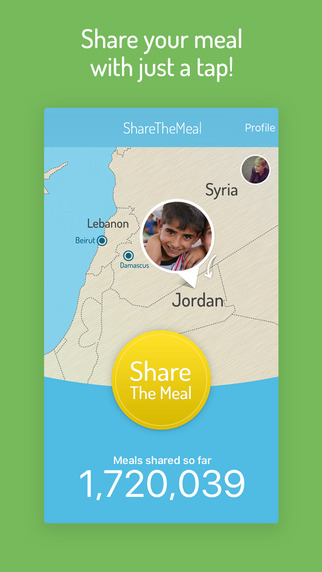
Our App of the Week is a worthy one. ShareTheMeal, an App that launched globally on Thursday by the United Nations World Food Program, aims to help feed refugee children in Jordan who are in dire need of our help.
The app allows you to donate as little as $0.50 to help provide food for the children – an amount that has meaning. According to calculations by the U.N. $0.50 is all it costs to feed a child in poverty for a day. The idea is, when you have a meal, you might think about sharing it, and providing a refugee child $0.50 for food for a day.
The app was previously tested in June this year, and the results were promising. In Germany, Austria and Switzerland, more than 120,000 users provided more than 1.8 million meals to children in need in the Southern African country of Lesotho.
The app works very simply.
Download the app here, add your PayPal or bank account details and then you can donate $0.50 or over, as much as you like. You can also follow your money to see where it goes – at the moment donations from the app go to Syrian children in Jordan’s Zaatari refugee camp who participate in WFP’s school meals program. There are, according to the U.N. refugee agency, more than 28,000 school age children who live in the camp.
At the time of writing, 1,974,501 ‘shared meals’ had been donated through the app.
 Uncategorized | iPhone-Antidote |
  November 13, 2015 10:18 am |
  Comments (0)
 Subscribe


